Because I want to take the integration of APIs and data feeds into my own hands.
As an online store operator, I am responsible for the interaction of store, marketplaces, ads, ERP, PIM, suppliers and many other software solutions.
That's why I want to:
' width='30' height='24' xlink:href='data:image/svg%2bxml%3bbase64%2ciVBORw0KGgoAAAANSUhEUgAAAEAAAAAzCAYAAAAn3w6xAAAACXBIWXMAAAsTAAALEwEAmpwYAAAFt0lEQVRogd2beWxURRzHP%2bWwiohBJBKVNFyKGFEEiUcQgjHGC1HEIFGJxlSjQUQ5OrMN1agkKpcxCNEEo2IQ/lKCqEDYnbdLBakBEYMKRogCotaKCMi5ZravsZ2dt69v39vd1m8yf3Xf/K6Z3/yuQnHRDegLXAkMBfoBvfifohy4GZgNxIEDQNpjHQK%2bBN4E7gd60o4xFFgM/JFDYL91AlgFjAc60k5wHfBpCKG91k7gEaADbRQ9gbeB0z6CHAG2AquBFcAy4CNgA/B7KxRRB1xDG8NNwH4PhrVCHGAKMLgVFrwQeMBVzJEcVyMW6DTUpDsg1S1IdRc1288gQswATnlY%2bnXX24d5LbTifvJQhD5FXX13qdnYDaHWIp1041KJjEJCogyY48HYMteSUb4kEjhsobUJON/zy2nxXgi15T/hm1by2rBMvWxhph4YQ%2bHQz/UBJt3NwDlZv65ODECqH7KFV6epivcPw8jTFia%2bASooPPRpeMdCf02Lp1KmhiHUgWzhM%2buFMAzc4Doh0wI9KB709VtgUcKLmb/G1GiEOmi1vFDPEdIp7TGI7sh5BwurhCUGL6cYWzML4Ry1WP0kUj0aluh8g%2bBBINRdColObvzQyM%2bwcWlEIvvIC3UYqW4PS2yQ5ehPpPToDWUNjHjYdte18PUIR1/b0FhqCP8ZbQHjV3Rk0uINHsLvRsQHRkGmwrD%2bSeBSSo2aui4IZ5VV%2bCkr9xFTvSMjRUvrfxDVxvlzVHseUqWswk9alKZL96%2biJLfTUMD1lBKxDRVIZ4dV%2bHtnp%2blU3sTn5VGQu8SSluonyBs18TOZmRjCzLXnEjWqE1cg1M9W4SfM2UZZh%2ba8To%2bC5OOGAub6W0ftcZ3QQWLJUUQFkRiBcBo8HJ4OcEZZkqXQWGJsekfOX0s1z4i%2bfmVG/OLQXAhnbI4ARxupKUxunkLralRo1BoKyJ3lCWe%2bJQRNUVnXOW8OZLKyUVDT6s5RROIe49dmshS6rnjAKFrmvv8x1Qfp/Glh9tW8qAtnlv3IOw0IZ6Tli/ejdtjHDQfoj6rEmEziYSYiMnl3oABHqjc8srn9yNRVHl%2baNYrbCIFyY7Mtrf5SOgusVqtK%2bleIJq8uRzrLPZzdLp9c3oxZJlASBVTWdbYHKmorU2vP8mY/3hXprPGw/BcIx%2b9OR6oAjWPNNttFEOhQVDi/Way4MFj5KqO4dUxPZVd9CnwFgjtBEzJ5K0KdyhKoynmwxe/01ZDOTg/h3wvwiiyN2gnWGhteFHgHqV6y%2bINDCGeQb/lKqNcCVnA3R/0MLjE2vDPwDhmP7qy3CPh15h3Xysi2%2bmlE4tmAlMxASBdpQ%2bOxQKGwF8S6C5Bqr4dzM0/HCWRSt8GCwgyFPyYCDDA23RXYDzRBBy4Z4XIq4O%2bM38gPcw1epxERvjc2zr/EJBzpbXlVT0zl67R0SXyfwWejj4kAs4yNl%2be/VboM4XxoUcCPVKfCVJkmGjzqnCAyVBglMd0LvCzv3aqS3TMCN3eG4TJGbf3thgKeIGK8a%2bnE5A%2bphiPUsUyjMnzh5EmDt18A72gzTwy0lMV1Gzt/6Ha1jvvDQRc%2bGwy%2bplIgzDEI/eW%2bEqVsjKQsPcr8aw8%2b0LH4boPgdyUaZrK3xuDGYswAHbd43GI3R%2bcZPOj1fLEYmGwhrpukfUrYHv%2bk2JNksy1M6CJk66s%2bwdHfY0BiU6tGZQpwDF%2bxMJN2p7/CV4JbWj3mMSLzeZGvXxamur1Ck7GjwEJ3rCXMPMJTOYak9HhdF9oARgJ7c4zJ6afqGUAXMv1ye31yHnL7j7nG5GbmnZQVCD2AtzxG5pqvf4Bt7jRp06DkSvco1/t8q9dG4GraMIa7ebjfxGjQ9a17MtrsqKyJIa4PaI1VvdZx93SMa0%2bCm9BjqaMBPZq23pKzmzNHuqa3CLiv1N69kDjbHaEd7I7V923v/xtAe8e/60mZPM6chWgAAAAASUVORK5CYII=' /%3e%3c/svg%3e) Automate as much as possible
Automate as much as possible- Create data feeds or connect APIs
- and preferably by myself, without programming knowledge
 Automate as much as possible
Our solution
A No Code builder for API Integrations
Do you know the following? You want to integrate a new supplier, change a data feed or launch a new marketplace? - But the "IT" has no time? With Synesty you can do it yourself?
With the help of different steps you can build automations - called flows. You can use templates or customize them with the visual flow editor and build your own processes.
For example, with Synesty you can create automations to synchronize product data between or stock updates ERP and online store. Order data can also be transferred to dropshipping suppliers in various formats.
You don't have to worry about updates - Synesty is always improving the Steps and Add-Ons, and keeps them up to date.
With the help of different steps you can build automations - called flows. You can use templates or customize them with the visual flow editor and build your own processes.
For example, with Synesty you can create automations to synchronize product data between or stock updates ERP and online store. Order data can also be transferred to dropshipping suppliers in various formats.
You don't have to worry about updates - Synesty is always improving the Steps and Add-Ons, and keeps them up to date.

Frequently Asked Questions
Are programming skills necessary to use the Synesty software?
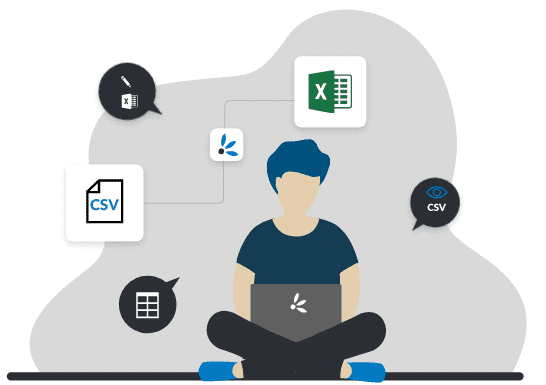
Can I build my own data feeds and e.g. filter data or add new columns?
For which store systems is Synesty applicable?
How does Synesty handle privacy / GDPR?
Does Synesty support Multitenancy? Can I manage multiple teams, projects, customers with it?
Billing: How exactly does the billing work?
Where can I find resources and videos to learn Synesty?

Together we will find the perfect solution for your company.
If you still have questions about your individual application, we can advise you personally.Simply send us a contact request and describe your problem.
How you can make the best use of the variety of data flow automation options for your business?
You can learn more in our free whitepaper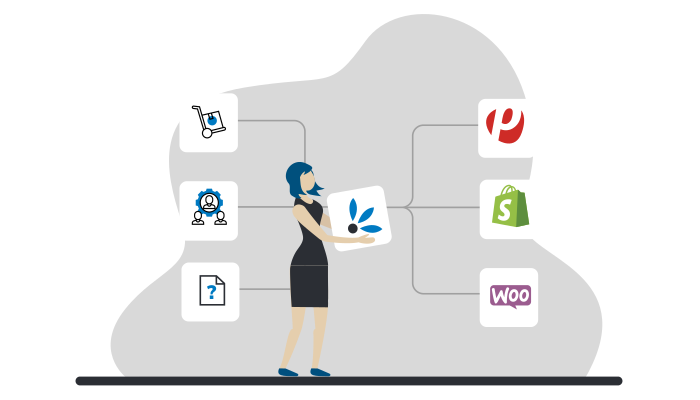
Chat with us